TOOLSCRAFT FOR MAYA

Mesh Checker
for Maya.

Inspect topology, find problem components and export readable reports before handing off your 3D assets.

ToolsCraft Mesh Checker product cover showing topology validation in Maya
AVAILABLE · TOOLSCRAFT EXTENSION
RELEASED VERSION
1.0.0
TESTED ON
Maya 2027
PLATFORM
Windows x64

Tested on Maya 2027. Maya 2022–2026 have not been host-tested in the supplied validation record; check the current marketplace listing before purchase.

See the issue. Find the component.

Move from a scan result to the part of the mesh that needs attention. Review findings in a compact or full interface and pass on a readable report.
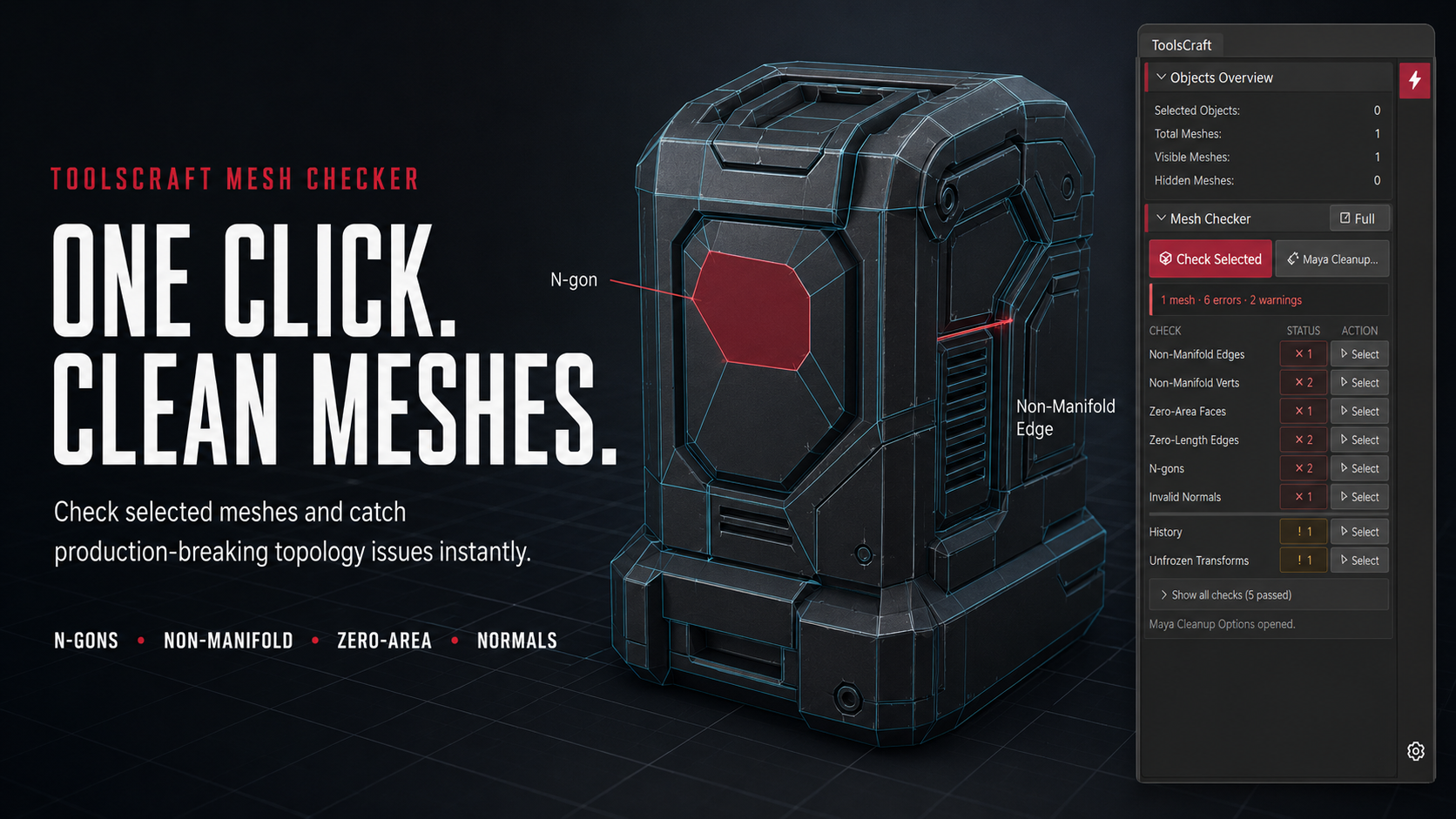
ToolsCraft Mesh Checker scan scopes and full review workflow

Topology checks

Inspect N-gons, non-manifold geometry, lamina faces, zero-area faces, zero-length edges and isolated vertices.

Flexible review

Choose the relevant scan scope, review winding and normal states, and include optional checks for triangles and borders.

Scene-safe inspection

Validation is designed to report problems without changing the mesh. Review the result and choose your correction workflow.

Before you install.

Get the original package

Download your purchase from Gumroad or ArtStation and read README_FIRST.txt in the package.

Install, then launch

Close Maya before installing. Run the included Windows installer, then use the supplied ToolsCraft launcher in Maya.

Review the scan result

Inspect the scene or selection, locate the affected components and save a report when you need to share the findings.

Understand the N-gon policy

N-gons are strict ToolsCraft game-ready policy errors. This does not mean every Unity or Unreal importer rejects every N-gon.